
From Mount Road, for Chennai’s restaurants.Let’s talk: +91 94 94 11 11 91

RESTAURANT GUIDE · CHENNAI

Give the billing counter room to do its job.

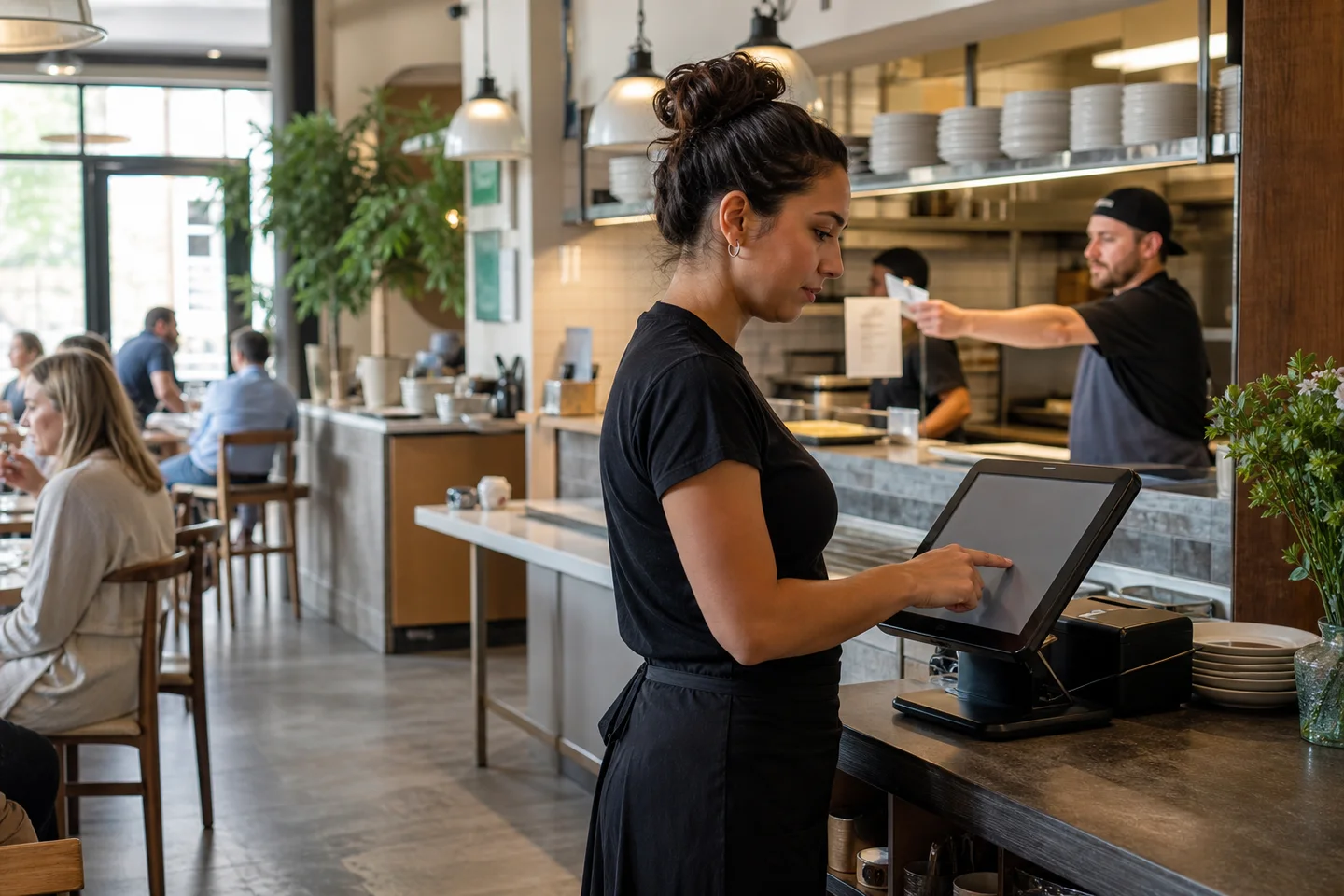
A restaurant counter may handle payments, phone enquiries and parcel collection at once. Before fixing equipment in place, walk a complete service route. This layout exercise works for a small Chennai tiffin counter as well as a dining room with a separate cashier.

Organised restaurant billing counter with a POS terminal and receipt printer
Restaurant workflow illustration.

DeccanPro · Chennai restaurant guide
https://deccanpro.com/guides/restaurant-pos-hardware-placement/

Updated

Draw the movements before placing devices

On a simple sketch, mark where a guest orders, pays and collects a parcel. Add the cashier’s chair or standing position, receipt printer and space for handing over a bill. Trace the captain’s route to the kitchen. Watch for two people needing the same narrow space at the same moment.

Use paper placeholders for equipment while reviewing the layout. Include room to open the printer and replace paper, rather than measuring only its closed footprint. Keep the collection surface distinct from the area where the cashier needs to read and operate the POS.

Check visibility in the actual working position

Read a sample order while standing where the cashier normally works. Look for glare at the times the restaurant operates and check whether guests can see information they should not see. Test kitchen screen text from the cook’s real position, not just from directly in front of the device.

Keep equipment away from splash, heat and spills, following the manufacturer’s instructions. Ask a qualified installer to plan power and cabling. Record device models and connection types before moving them; a convenient physical position still needs a supported connection to the restaurant setup.

Make everyday maintenance possible

Choose an accessible location for spare paper and a staff-only charging position for captain devices. Check that replacing a roll or collecting a charged handset will not interrupt a guest payment. Label equipment and support information where staff can find it without displaying network credentials publicly.

Finally rehearse a guest paying while a parcel is collected and a captain asks about a running table. Observe the queue and adjust the layout before buying furniture or drilling mounts. A DeccanPro demo can establish the workflow; the final placement should be checked with your own devices and premises.

Run three counter tasks at the same time

Use three colleagues and fictional orders outside live service. One guest is paying for P7, another is collecting parcel C8, and a captain needs to read open table T3. Put paper device outlines, a sample receipt and empty parcel bags in the intended positions. An observer records where people reach, wait or block a screen. This is a layout rehearsal, not a speed target or an electrical installation test.

Repeat from both the guest side and the staff side. Ask a shorter colleague and a seated operator, where relevant to your restaurant, to try the same tasks. Record actual observations rather than assigning one universal counter height or viewing distance. The installer should establish equipment clearances, mounting, power and cable requirements using the chosen models and premises.

Scroll sideways if needed to see all columns.

Three simultaneous tasks: what the observer should record
TaskObserveRevise and retest if
Cashier checks P7 and hands over its receiptScreen visibility, receipt reach and guest access to private informationA parcel hides the amount, or another person must reach across the payment task
Colleague matches C8 and hands over its bagsOrder-reference check and space to keep bags togetherThe guest must cross the cashier position, or bags obscure the printer
Captain checks the current T3 orderA place to pause and read without obstructing serviceThe captain blocks collection or staff confuse T3 with the paying guest’s order

Turn the walk-through into an installation decision

Use the equipment site survey to record each device’s intended position, model, connection and observed result. For the counter layout, note the three practice references and the specific obstruction found. Assign a person to resolve it and repeat that same task after moving the paper placeholders. A revised drawing is a proposal; a completed retest shows whether the observed problem was removed.

Before approving purchases or permanent mounts, keep unresolved connection, readability and access questions visible. Have the installer review the final plan, then repeat the relevant checks with the actual equipment. Keep hardware quotations separate from DeccanPro’s Rs.6,000 annual software price. Do not place passwords, customer details or payment credentials in the worksheet.

PUT IT INTO PRACTICE

Your checklist

  • Ordering, payment and collection routes walked
  • Printer opens fully for paper replacement
  • Display readable from working position
  • Power and cable routing reviewed by installer

Keep exploring

Try a Chennai restaurant exercise

These local guides put this topic into a practical demo. Adapt the sample orders to your own menu and team.

Chennai landmarks in an original city illustration

CHENNAI TEAM. YOUR RESTAURANT.

Your next busy service.
A little more under control.

₹6,000 per year. No limits. No setup fees. No hidden charges.

Call DeccanProBook a demo