
DeccanPro · Chennai restaurant guide
https://deccanpro.com/guides/restaurant-combo-meal-billing/
Updated
Write the offer before entering it into the POS
Give the offer one clear name and specify its contents, portion sizes and price. Separate an included choice from an extra item: tea instead of coffee is a replacement only when your offer allows it; another coffee is an addition. Write down any upgrade price before the cashier starts entering training orders.
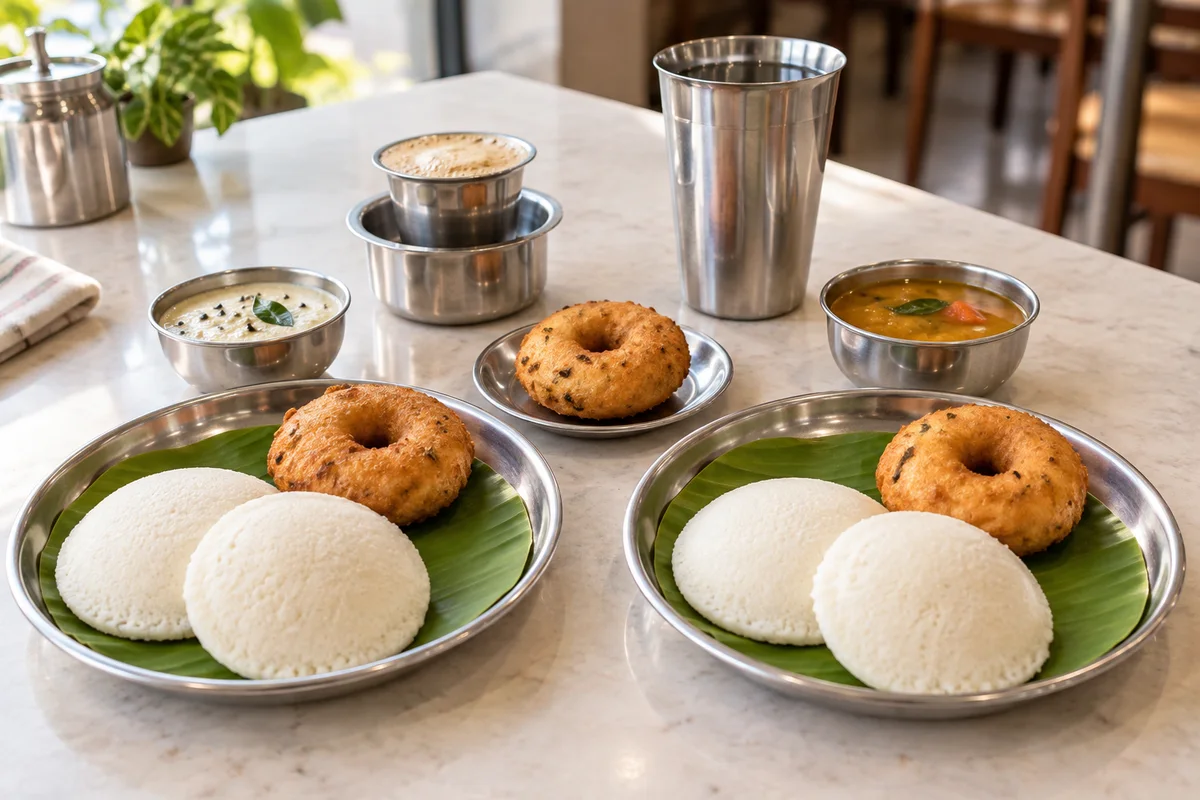
For the fictional exercise below, Breakfast Set A includes two idlis, one vada and one coffee for Rs.110. Replacing the coffee with a larger drink costs an additional Rs.15; an extra vada costs Rs.20. These are training values, not recommended menu prices. The arithmetic deliberately excludes taxes and other charges: have the person responsible for your restaurant configuration verify those separately.
Check the bill and kitchen quantities separately
Enter two Breakfast Set A orders. Upgrade the drink in only one set, then add one extra vada. The intended training subtotal is 2 x Rs.110 + Rs.15 + Rs.20 = Rs.255. A correct total alone is insufficient: the kitchen must understand four idlis, three vadas, one regular coffee and one upgraded drink.
Read each required dish back from the actual kitchen instruction. Two sets contain two vadas already; the extra vada makes three. The upgraded drink replaces one regular coffee, so there are still two drinks. If staff must infer the contents from the combo name, make that preparation convention explicit and test it with someone who did not configure the menu.
Scroll sideways if needed to see all columns.
| Order element | Amount | Required preparation |
|---|---|---|
| Two Breakfast Set A orders | 2 x Rs.110 = Rs.220 | Four idlis, two vadas and two regular coffees before changes. |
| Upgrade one included drink | Rs.15 | Replace one regular coffee with one upgraded drink; do not prepare a third drink. |
| One additional vada | Rs.20 | Prepare three vadas in total. |
| Final cross-check | Rs.255 | Four idlis, three vadas, one regular coffee and one upgraded drink. |
Choose a supported representation and prove what it does
Ask the demonstrator to show how your installed software represents the offer. It might use a named menu item with an agreed preparation instruction, separately entered components or another supported configuration. These approaches need different checks; do not assume that typing a combo name automatically expands its dishes on a KOT or deducts recipe ingredients.
If components appear as separate lines, check whether any carry a price in addition to the combo price. If they are preparation notes, check that the notes reach the intended kitchen surface and that a paid upgrade is charged through a supported priced entry. A note reading “extra vada” does not by itself prove Rs.20 was added to the bill.
DeccanPro provides restaurant billing, table ordering and kitchen-order workflows. This guide is an acceptance exercise for your proposed combo setup, not a claim of a dedicated combo builder, automatic ingredient inventory or a particular modifier engine. Ask for a demonstration of the representation you will actually use.
Change one set without changing the other
Before preparation in the training exercise, ask to remove the separately ordered extra vada. The intended subtotal becomes Rs.235 and preparation becomes four idlis, two vadas, one regular coffee and one upgraded drink. The Rs.15 upgrade still applies. Check the saved order and the kitchen update, not only the cashier’s unsaved entry screen.
Next, repeat from a fresh training order and ask for an upgrade on the second set as well. The subtotal becomes Rs.270 including the extra vada, and the kitchen needs two upgraded drinks with no regular coffee. These separate runs reveal whether a change affects one set, both sets or only the wording of a note. Do not perform both scenarios cumulatively without recalculating their expected result.
Agree the guest’s choice before substituting an unavailable included dish. If the kitchen has already started or payment has been recorded, follow your authorised order-change and payment-adjustment procedure. Avoid treating a menu edit as a correction to an existing order.
Rehearse each route that sells the offer
Run the same agreed offer through the counter and any captain device that will sell it. Record the saved reference, displayed price and kitchen result for each route. A successful counter entry does not establish that another device has the same menu, choices or current price.
For takeaway, check the final contents at packing: the upgraded drink must go into the correct order and the extra vada must not be lost among the included portions. For dine-in, ask the captain to identify the intended table and order before adding a second round. Keep the customer bill’s selling units separate from the kitchen’s preparation quantities when explaining the result.
Keep a short signed-off offer sheet
Download the worksheet and record the approved offer, expected quantities, actual observations and unresolved issues. Have a cashier and kitchen staff member perform the readback independently. Keep the offer out of the normal service menu until they can explain the price, replacement and extra-item rules consistently.
Repeat the relevant cases after changing the offer price, contents or available choices. Retain the earlier result for comparison and use new training records. For a DeccanPro demonstration in Chennai, bring your actual combo description and the printer, screen and captain devices you intend to use.
PUT IT INTO PRACTICE
Your checklist
- Included items and portion sizes written down
- Replacement distinguished from an extra item
- Rs.255 example reconciled with preparation quantities
- One-set change leaves the other set intact
- Priced extras checked separately from notes
- Counter and captain routes checked independently
- Takeaway contents matched to the correct saved order
