
Tell similar table labels apart before sending an order
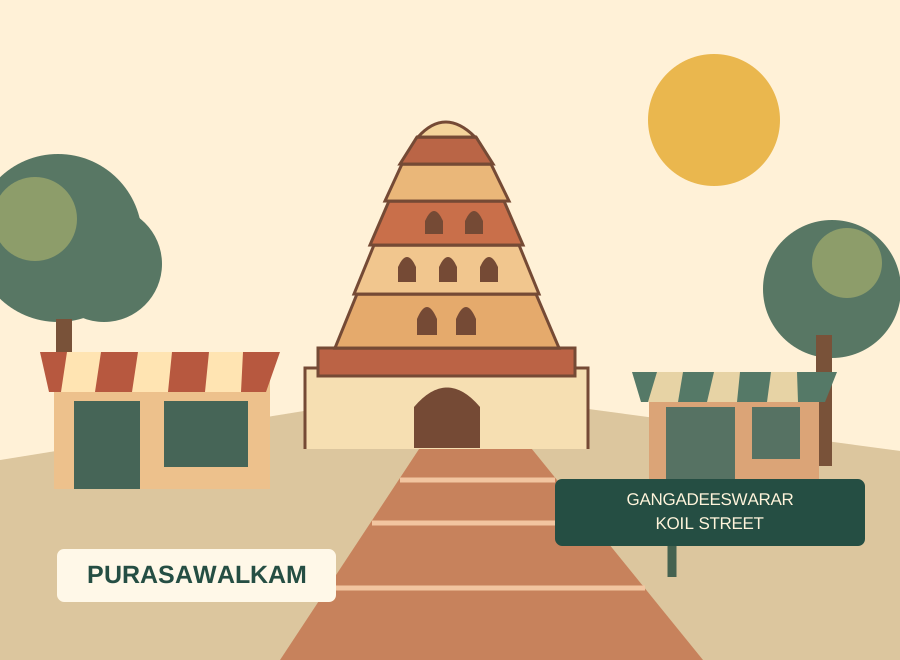
Gangadeeswarar Temple on Gangadeeswarar Koil Street is a documented Purasawalkam landmark. When arranging a DeccanPro visit, share your restaurant's street, entrance and floor as well as any landmark reference: a neighbourhood landmark does not identify the restaurant doorway. Visits are arranged in advance. The temple reference provides local orientation only and does not imply an association with DeccanPro.
Local reference: Tamil Nadu HR&CE: Gangadeeswarar Temple address. Use the restaurant exercises below with your own menu.
Start with two labels that could be misread
Set up fictional tables A1 and A10 in a training demonstration, keeping them separate throughout. Give A1 two plain dosas at Rs.70 each and A10 one meals portion at Rs.150. Their item subtotals are Rs.140 and Rs.150 before configured taxes, discounts or other charges. Write down the two saved order references. The exercise is not passed merely because the totals differ: staff must identify the correct table and order before looking at the dishes or amount.
Compare the physical sign with every order view
Ask a captain to read the physical A10 sign, select its table in the demonstrated workflow and show the saved order. Then ask the cashier and kitchen colleague to read the corresponding reference from their own screen or printed ticket without prompting. Look for a cropped final zero, a faint character, a label hidden by another field or a sign visible only from one approach. If a particular output does not show the full reference, record that limitation and demonstrate the agreed alternative. Do not assume all printer layouts or devices display table labels identically.
Add a round without creating another table identity
Add one Rs.30 coffee to A10 through the demonstrated existing-order workflow. Its sample item subtotal becomes Rs.180; A1 remains Rs.140. Ask the cashier to open each saved order and check those item lines, then ask the kitchen what new preparation is required. The desired result is one additional coffee for A10, with the original meals order still traceable. A spoken “A ten” alone is not the acceptance check: inspect the actual saved record and kitchen output. Where voice is used, test pronunciation on the installed device rather than assuming it distinguishes similar labels reliably.
Separate a wrong selection from a real table move
In a second training case, stop before cooking after deliberately selecting A1 for an order intended for A10. First establish which saved record contains the mistake and whether the kitchen has acted on it. Ask the demonstrator to show the supported correction while the supervisor tells the kitchen exactly which instruction is changing. This is different from diners physically moving tables. Avoid creating a second customer order merely to fix a label, and do not silently replace a table reference on an already occupied order. If the demonstrated workflow cannot resolve the case safely, record it as an unresolved requirement for the provider.
Improve one source of ambiguity and repeat
If the physical sign is unclear, change its placement, size or contrast and repeat the read-back from the captain's normal approach. If a printer crop is responsible, ask the provider to demonstrate the relevant layout on your actual printer before changing live settings. If choosing a clearer naming convention, plan it outside service and confirm how open orders are handled; do not rename occupied tables mid-rehearsal. Change one thing at a time so the team knows what solved the confusion. Neither the sign change nor a larger printout proves that the remaining screens are correct.
Finish with an independent read-back
Swap the people playing captain and cashier. Give the incoming colleague only the normal order records and ask which table owes Rs.140 and which owes Rs.180 in the sample, what belongs on each kitchen instruction and whether any correction remains unresolved. Repeat once using another pair of labels from your own floor. Record the device, printer sample and remaining issue on the demo notes. Passing this short exercise is evidence about that setup; it is not a promise that every future order will be error-free.
Prepare your Purasawalkam demo
- A1 and A10 have separate, recorded training-order references.
- Full labels are readable on physical signs and demonstrated order views.
- Kitchen staff independently identify both destinations.
- The coffee addition reaches A10; A1's item lines stay unchanged.
- Voice, if used, is checked alongside the complete visible instruction.
- Wrong table selection is distinguished from diners moving tables.
- Corrections account for kitchen work already started and occupied tables.
- A second staff member can explain the final two orders without prompting.
